> ## Documentation Index
> Fetch the complete documentation index at: https://docs.wellows.com/llms.txt
> Use this file to discover all available pages before exploring further.
# Authentication
> Learn how to authenticate API requests securely
## Overview
To authenticate your API requests, you need an API key. This key identifies and authorizes your requests, ensuring only authorized users can access resources.
Your API key provides access to all data available to your account, including projects, site summaries, and monitoring data.
## Getting Your API Key
Follow these steps to obtain your API key:
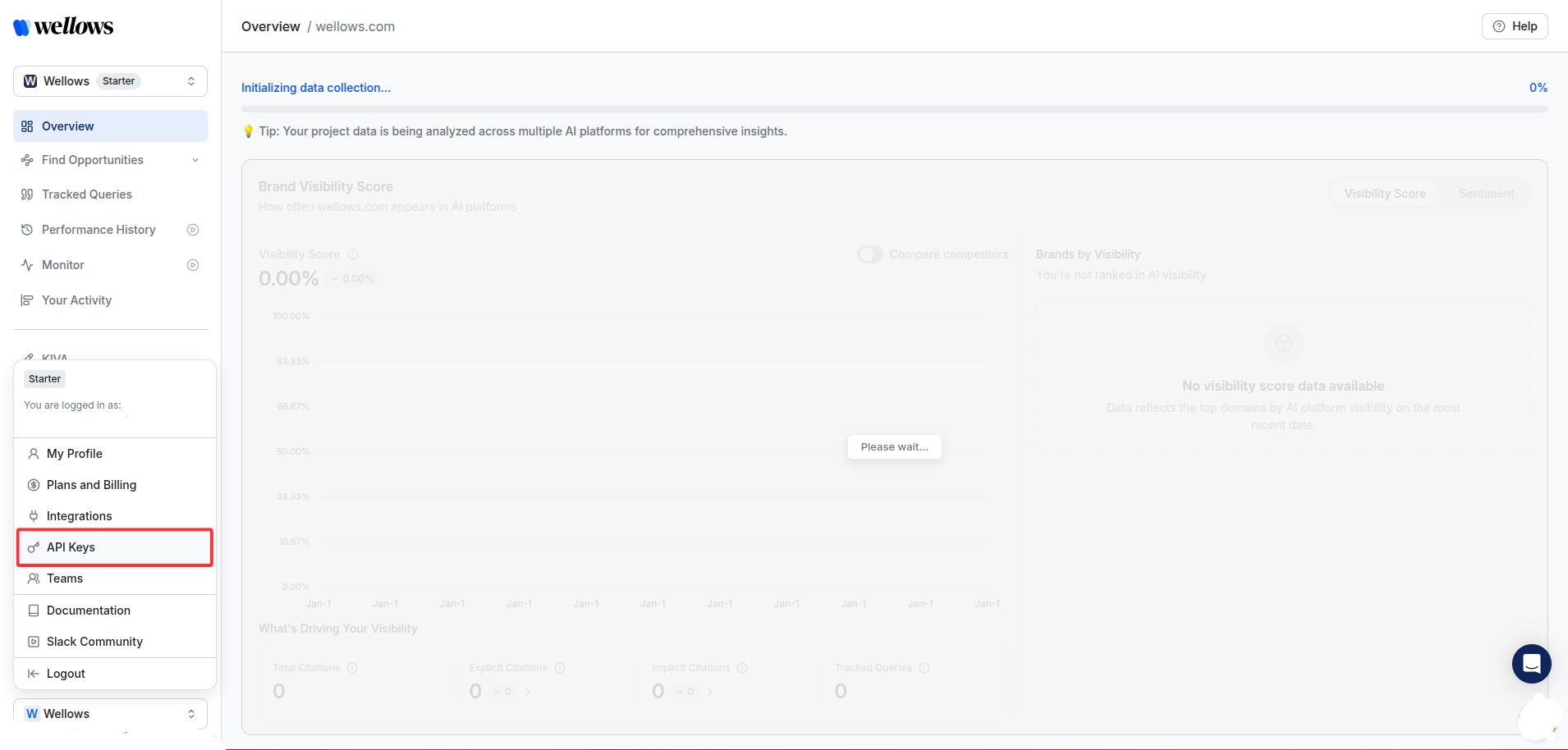
Sign into the platform. In the bottom left, click on your name and select **API Keys**.
 This will show your key generation portal and a table of your keys.
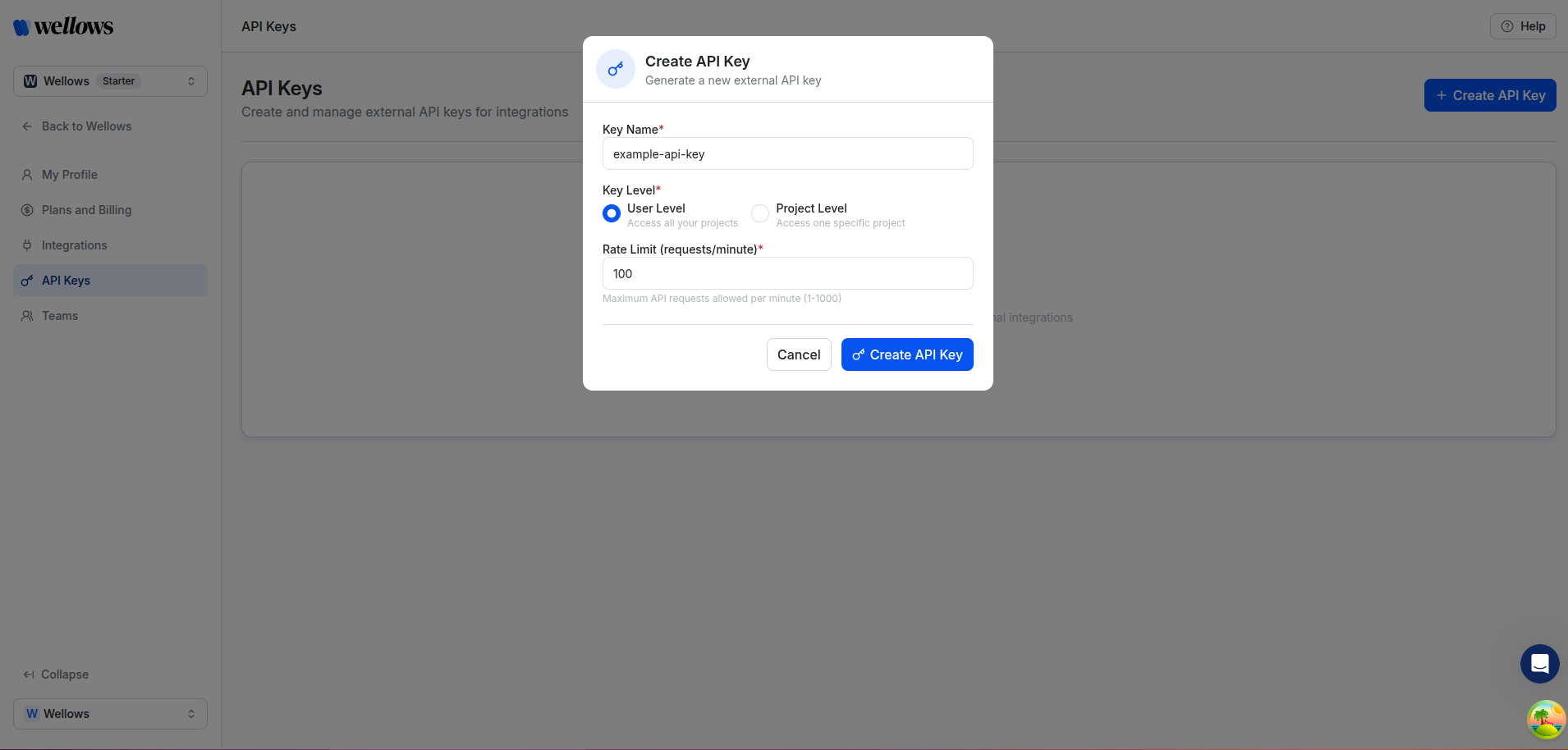
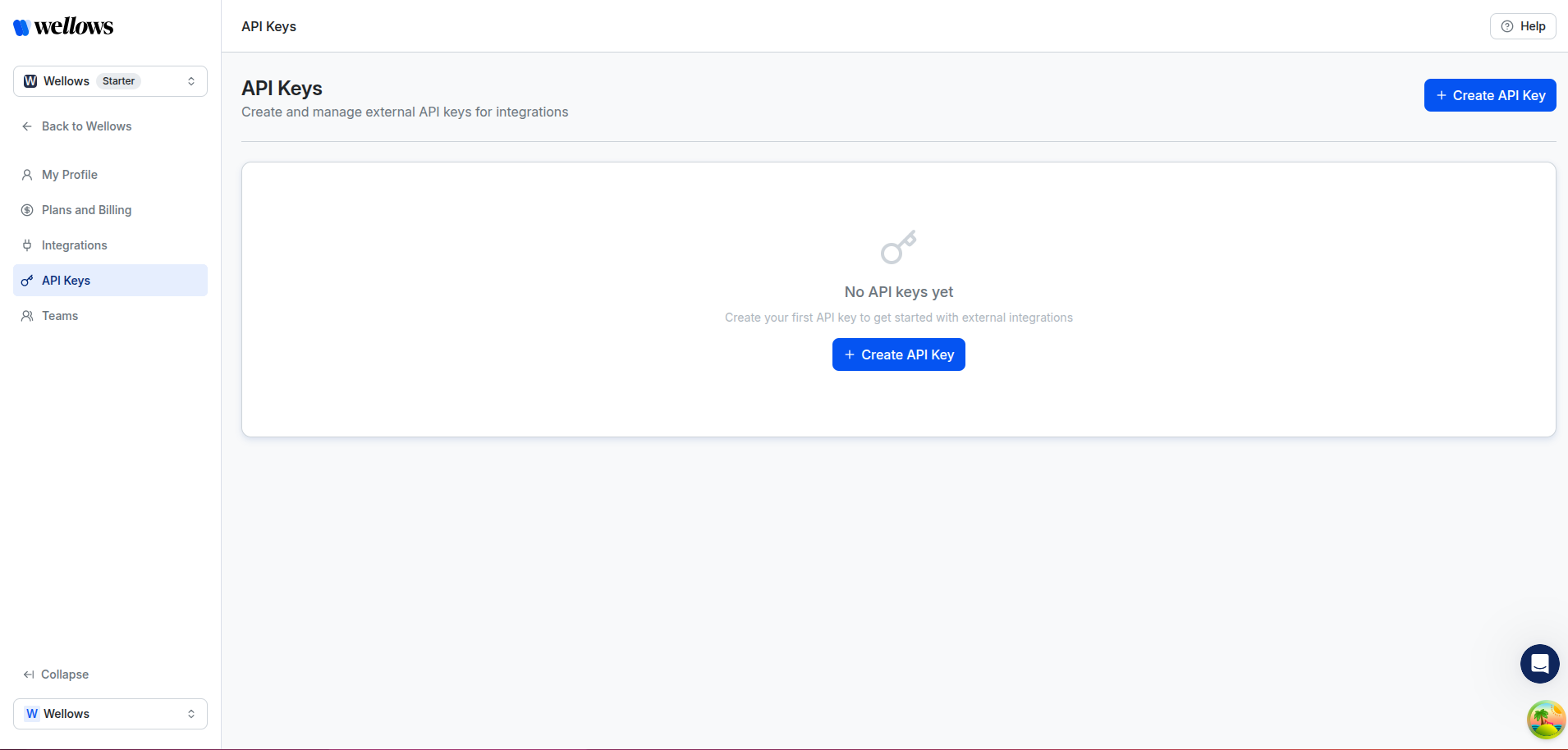 Fill in the following fields to configure your API key:
* **Key Name**: Enter a descriptive name for your API key (e.g., `example-api-key`)
* **Key Level**: Choose the access scope for your key:
* **User Level**: Access all your projects
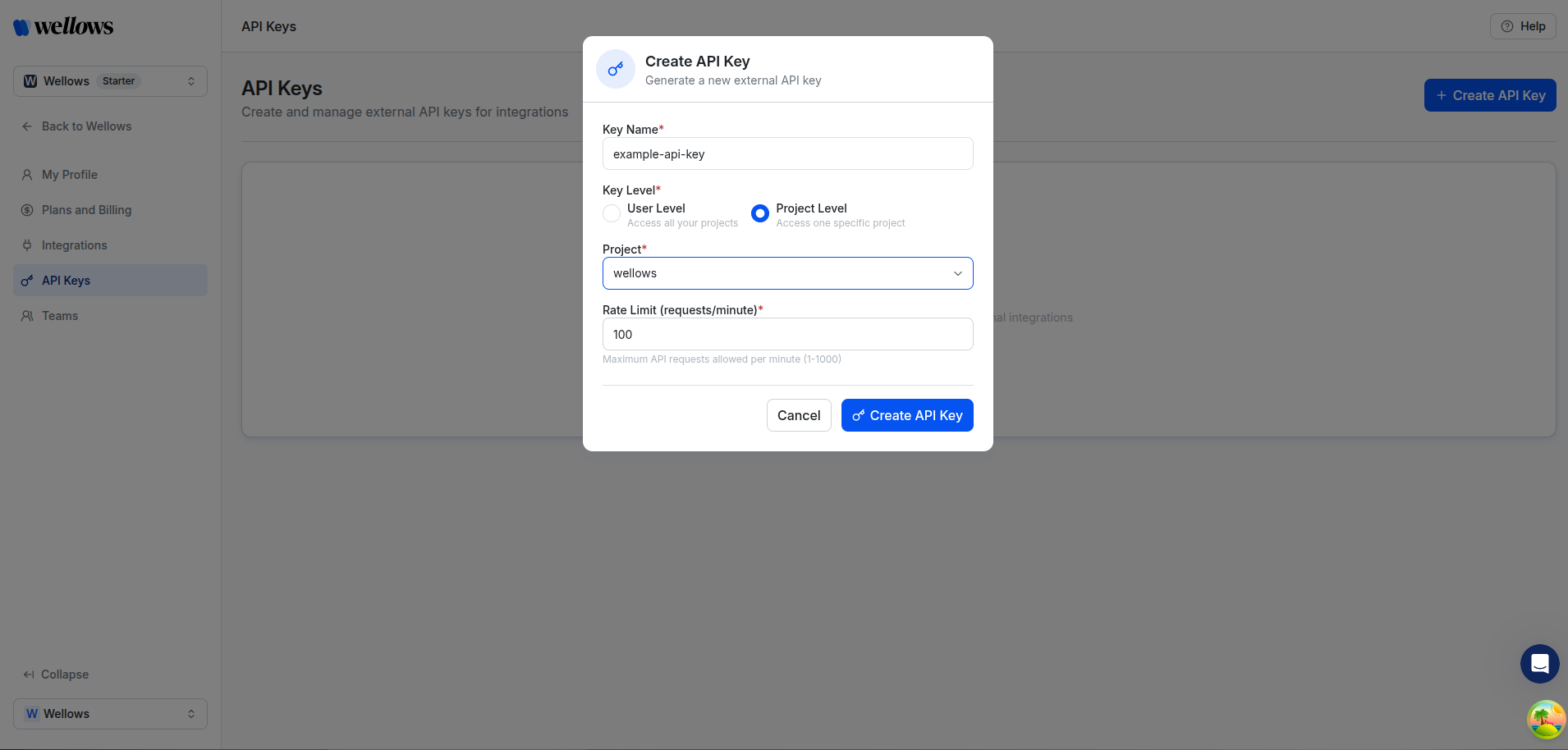
* **Project Level**: Access one specific project (requires selecting a project)
Fill in the following fields to configure your API key:
* **Key Name**: Enter a descriptive name for your API key (e.g., `example-api-key`)
* **Key Level**: Choose the access scope for your key:
* **User Level**: Access all your projects
* **Project Level**: Access one specific project (requires selecting a project)
 If you select **Project Level**, an additional dropdown will appear to select the specific project:
 When ready, click **Create API Key** to generate the key.
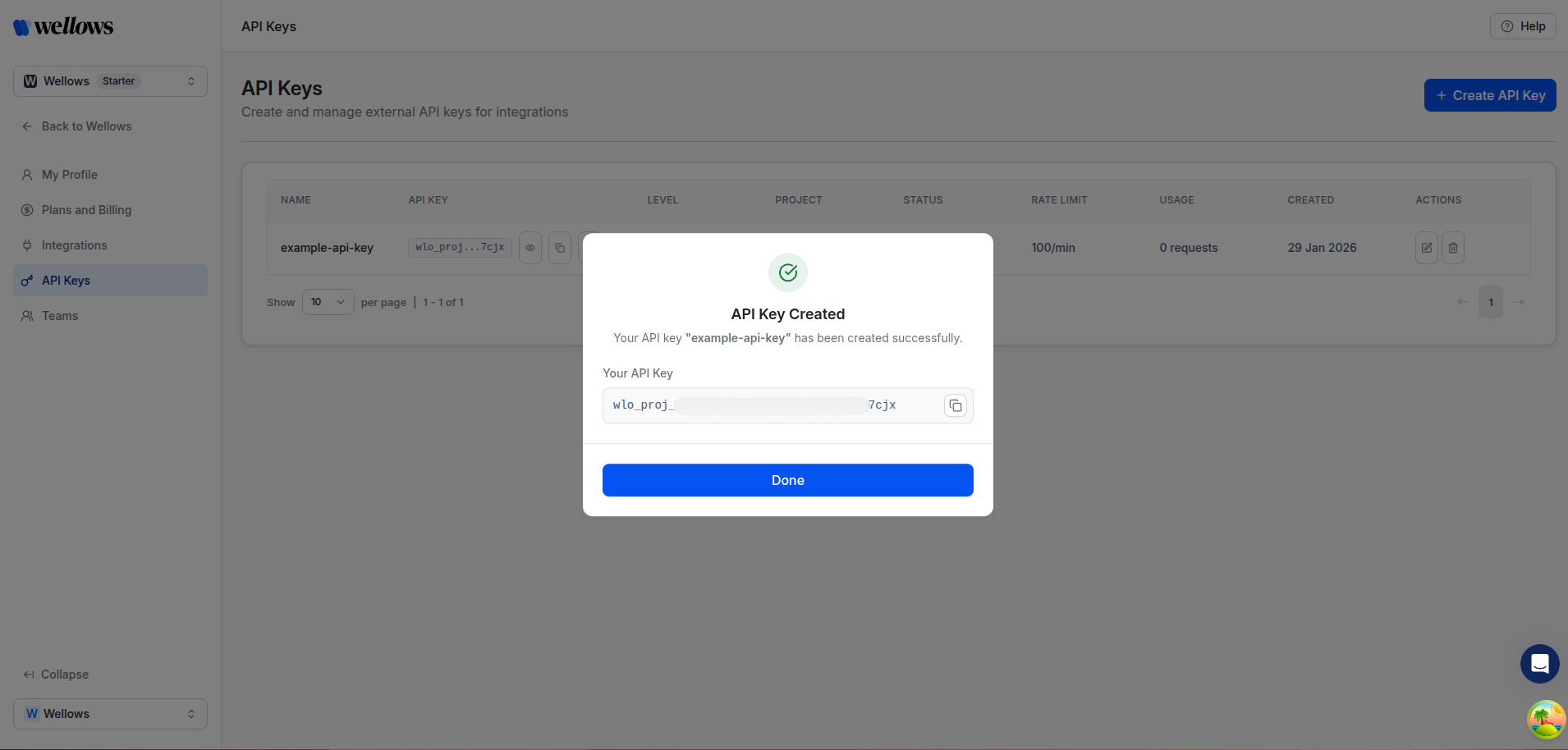 That's it! You have now generated an API key that can be used to authenticate requests to the Wellows API.
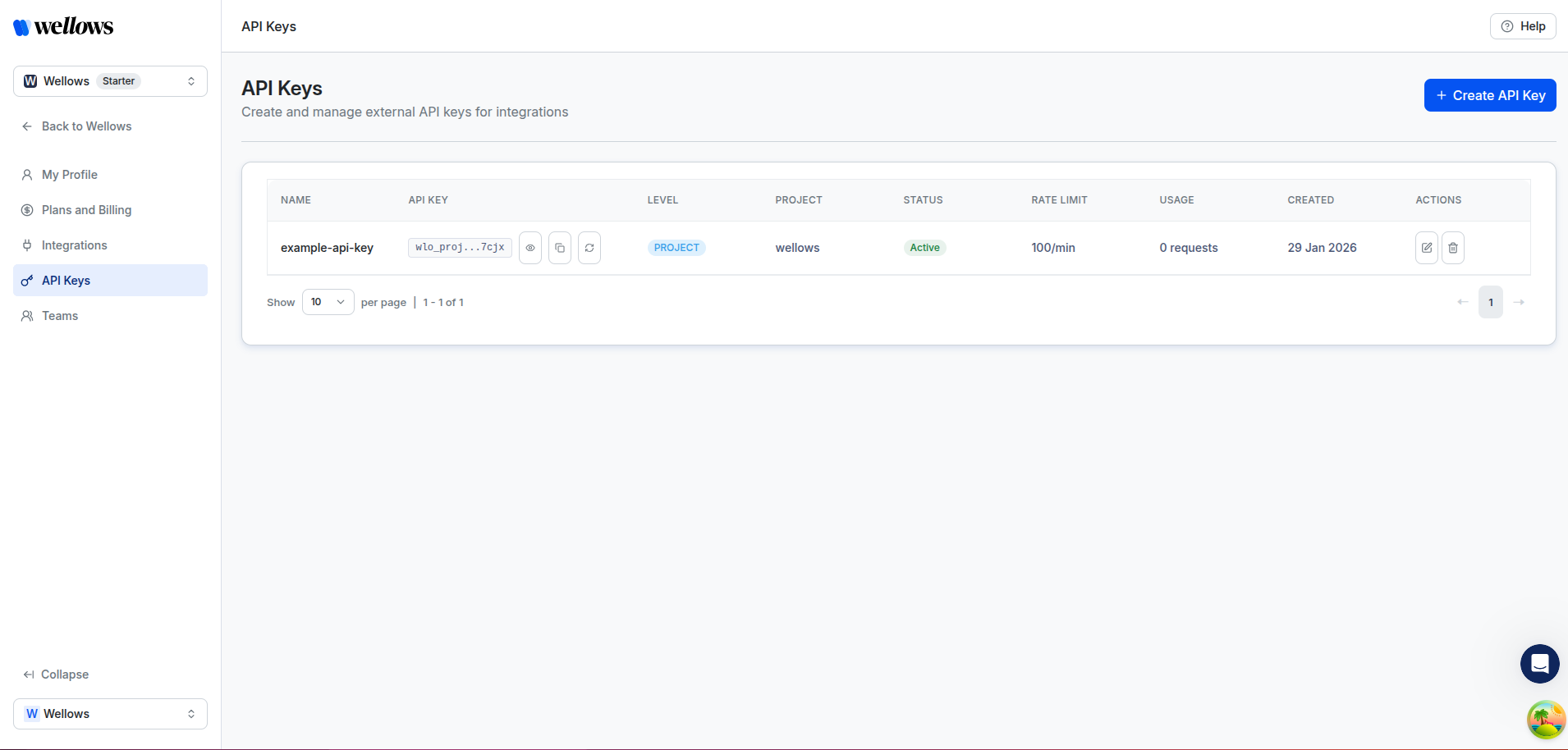
Your key will be displayed in a table along with other keys you generate. Return to this page at any time to see your keys, check expiry dates, or revoke an existing key.
That's it! You have now generated an API key that can be used to authenticate requests to the Wellows API.
Your key will be displayed in a table along with other keys you generate. Return to this page at any time to see your keys, check expiry dates, or revoke an existing key.
 Your API key is sensitive information. Never share it publicly or commit it to version control. Store it securely and treat it like a password.
## Authentication Method
Include your API key in the `X-API-Key` header for all requests:
```bash theme={null}
curl -X GET "https://integrations.wellows.com/api/v1/validate" \
-H "X-API-Key: your_api_key_here" \
-H "Content-Type: application/json"
```
## API Key Scope & Permissions
Your API key access level determines what data you can retrieve:
| Key Level | Description | Project Header |
| ----------------- | ----------------------------------------- | ------------------------------------------------------------------------- |
| **User Level** | Access all projects owned by your account | `X-Project-ID` required except for `/validate` and `/projects` endpoints |
| **Project Level** | Scoped to a single project | Not needed |
When using a **User Level** key, you must include the `X-Project-ID` header to specify which project you want to access except for `/validate` and `/projects` endpoints
## Security Best Practices
* **Keep keys private**: Never expose API keys in client-side code or public repositories
* **Use environment variables**: Store keys in environment variables or secure configuration files
* **Rotate regularly**: Consider rotating your API keys periodically for enhanced security
* **Monitor usage**: Check your API usage regularly to detect any unauthorized access
## Authentication Errors
Common authentication errors and their meanings:
| Status Code | Error | Description |
| ------------------ | ------------------------ | ---------------------------------------------------------- |
| `401 Unauthorized` | Invalid API key | The provided API key is incorrect or expired |
| `403 Forbidden` | Insufficient permissions | Your API key doesn't have access to the requested resource |
## Need Help?
If you encounter authentication issues or need to request API access, contact our support team for assistance.
Your API key is sensitive information. Never share it publicly or commit it to version control. Store it securely and treat it like a password.
## Authentication Method
Include your API key in the `X-API-Key` header for all requests:
```bash theme={null}
curl -X GET "https://integrations.wellows.com/api/v1/validate" \
-H "X-API-Key: your_api_key_here" \
-H "Content-Type: application/json"
```
## API Key Scope & Permissions
Your API key access level determines what data you can retrieve:
| Key Level | Description | Project Header |
| ----------------- | ----------------------------------------- | ------------------------------------------------------------------------- |
| **User Level** | Access all projects owned by your account | `X-Project-ID` required except for `/validate` and `/projects` endpoints |
| **Project Level** | Scoped to a single project | Not needed |
When using a **User Level** key, you must include the `X-Project-ID` header to specify which project you want to access except for `/validate` and `/projects` endpoints
## Security Best Practices
* **Keep keys private**: Never expose API keys in client-side code or public repositories
* **Use environment variables**: Store keys in environment variables or secure configuration files
* **Rotate regularly**: Consider rotating your API keys periodically for enhanced security
* **Monitor usage**: Check your API usage regularly to detect any unauthorized access
## Authentication Errors
Common authentication errors and their meanings:
| Status Code | Error | Description |
| ------------------ | ------------------------ | ---------------------------------------------------------- |
| `401 Unauthorized` | Invalid API key | The provided API key is incorrect or expired |
| `403 Forbidden` | Insufficient permissions | Your API key doesn't have access to the requested resource |
## Need Help?
If you encounter authentication issues or need to request API access, contact our support team for assistance.