To authenticate your API requests, you need an API key. This key identifies and authorizes your requests, ensuring only authorized users can access resources.Your API key provides access to all data available to your account, including projects, site summaries, and monitoring data.
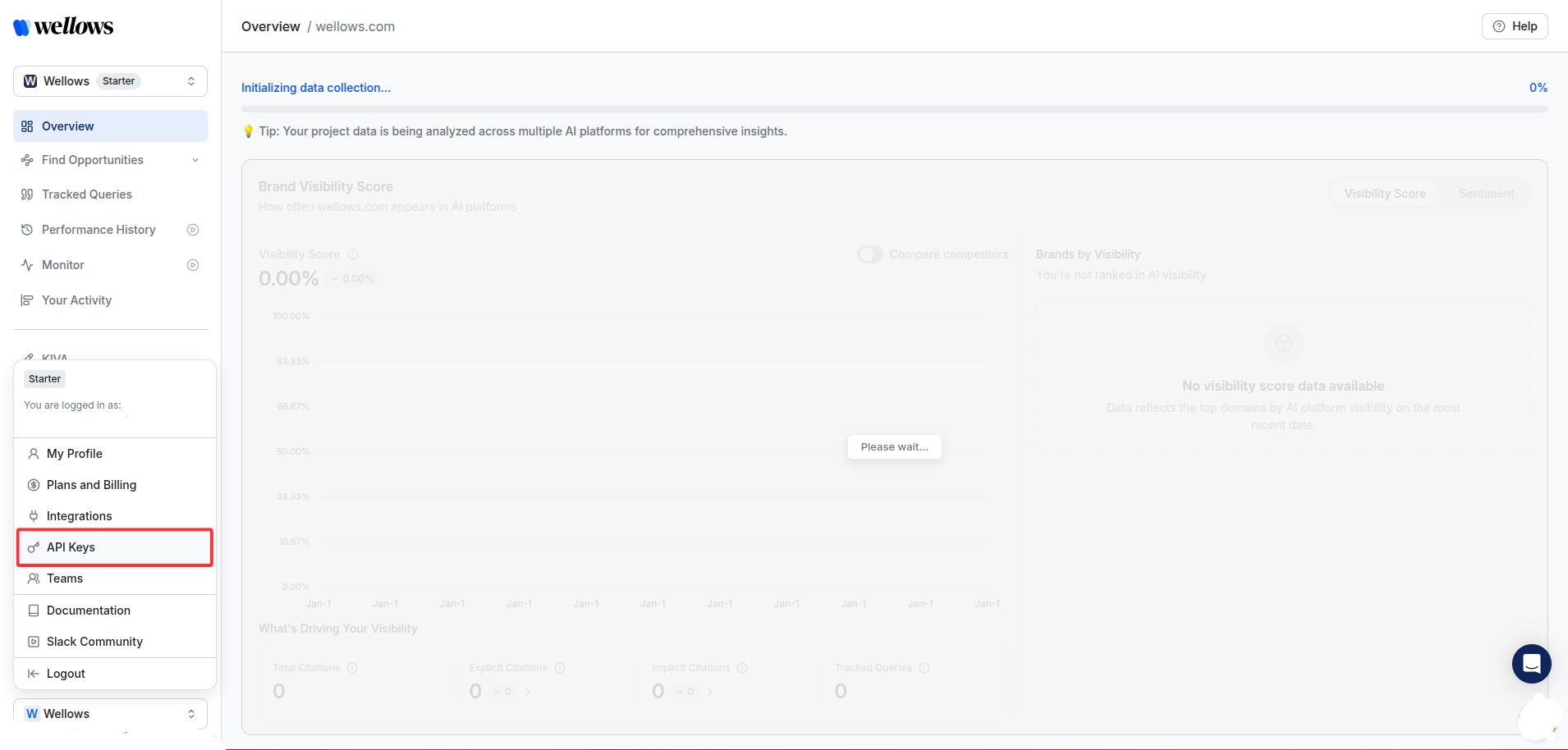
Sign into the platform. In the bottom left, click on your name and select API Keys.
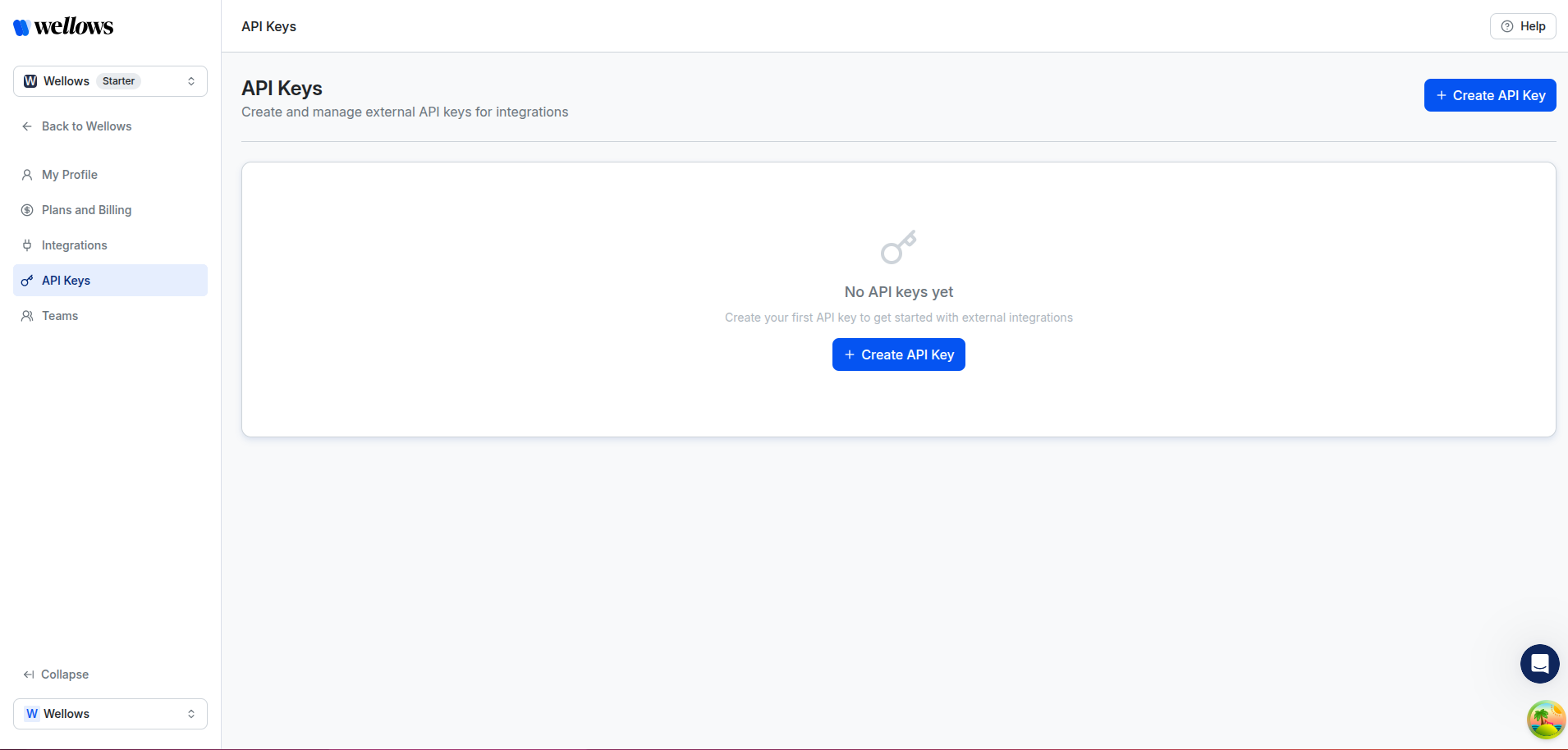
This will show your key generation portal and a table of your keys.
2
Configure your Key
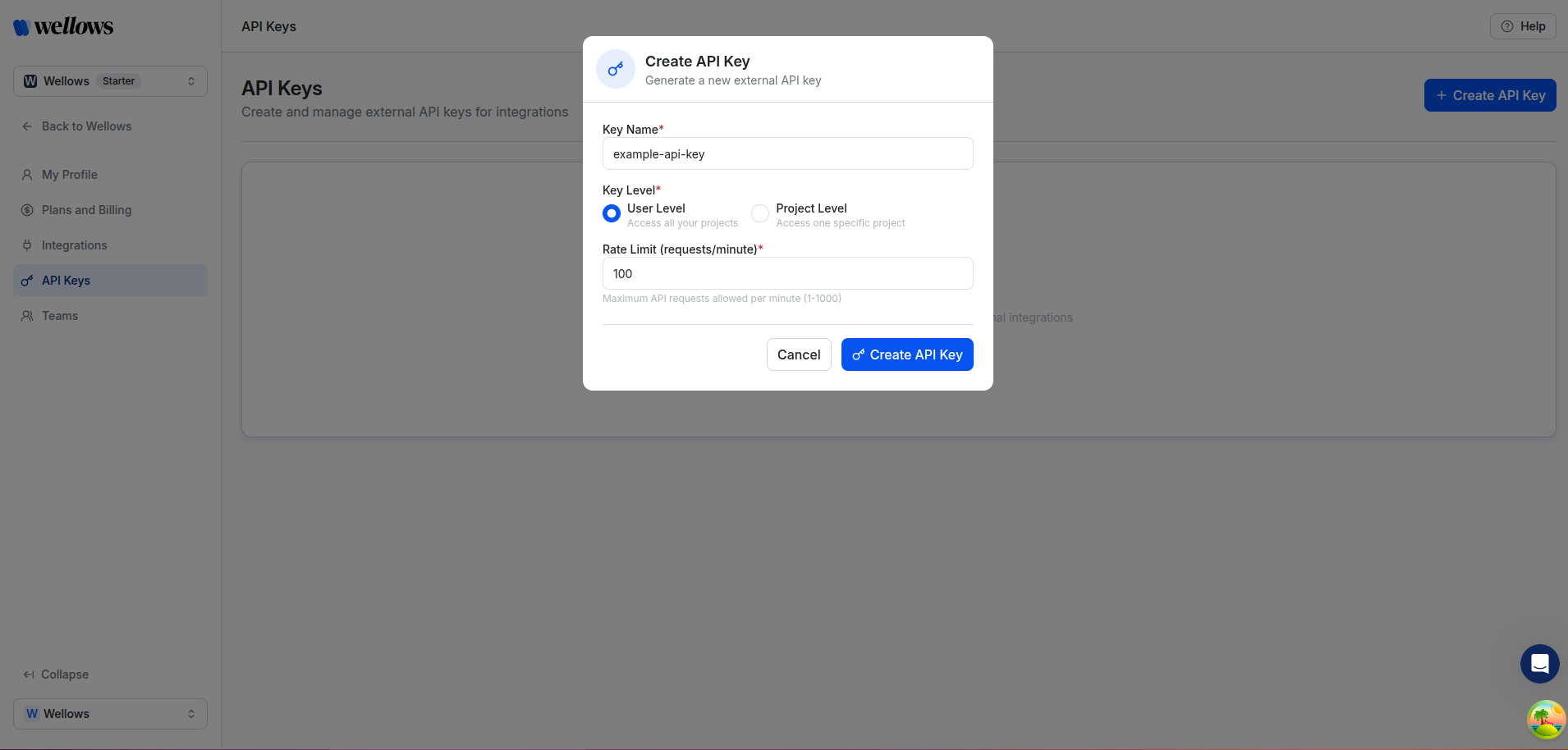
Fill in the following fields to configure your API key:
Key Name: Enter a descriptive name for your API key (e.g., example-api-key)
Key Level: Choose the access scope for your key:
User Level: Access all your projects
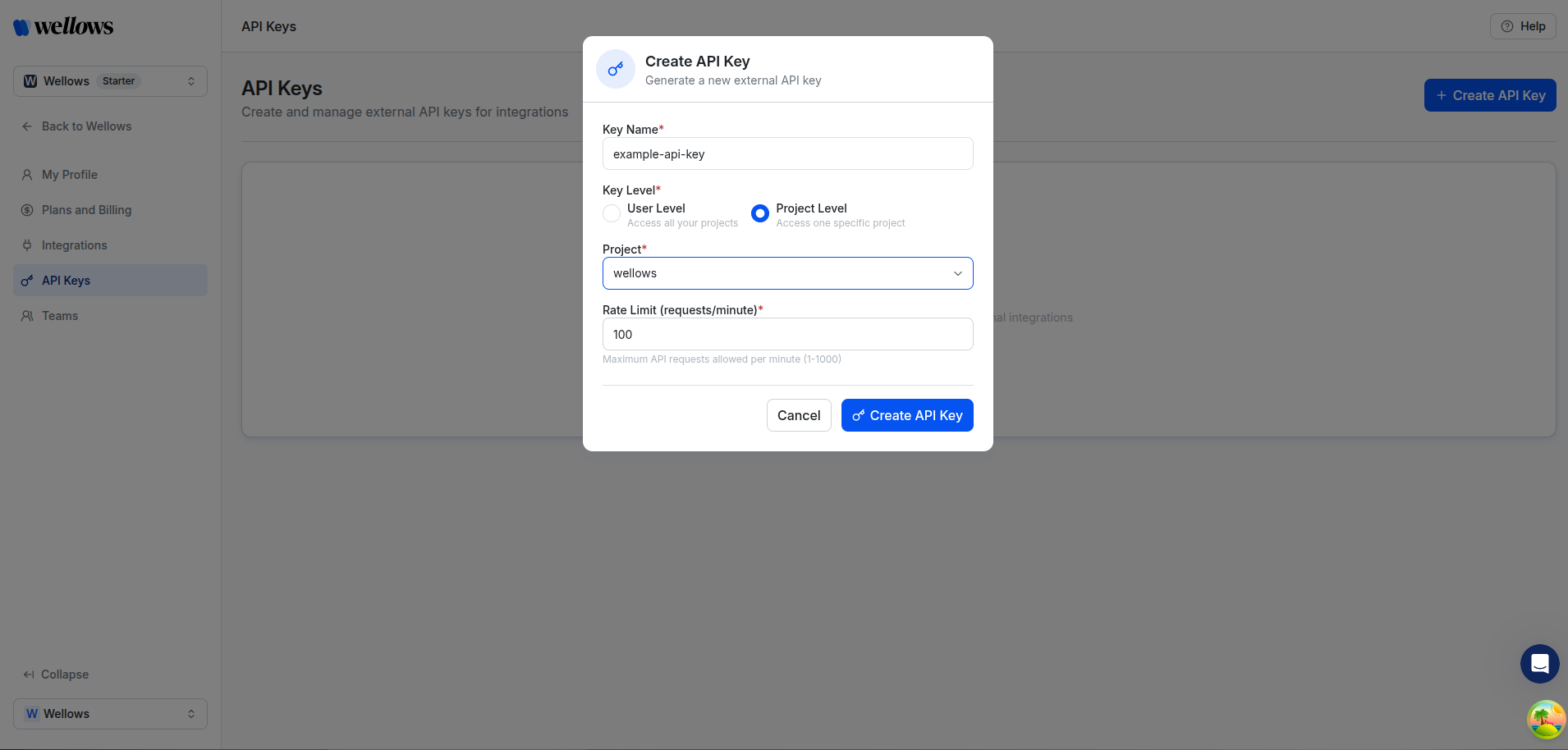
Project Level: Access one specific project (requires selecting a project)
User Level - Access all projects
If you select Project Level, an additional dropdown will appear to select the specific project:
Project Level - Access a specific project
3
Create your Key
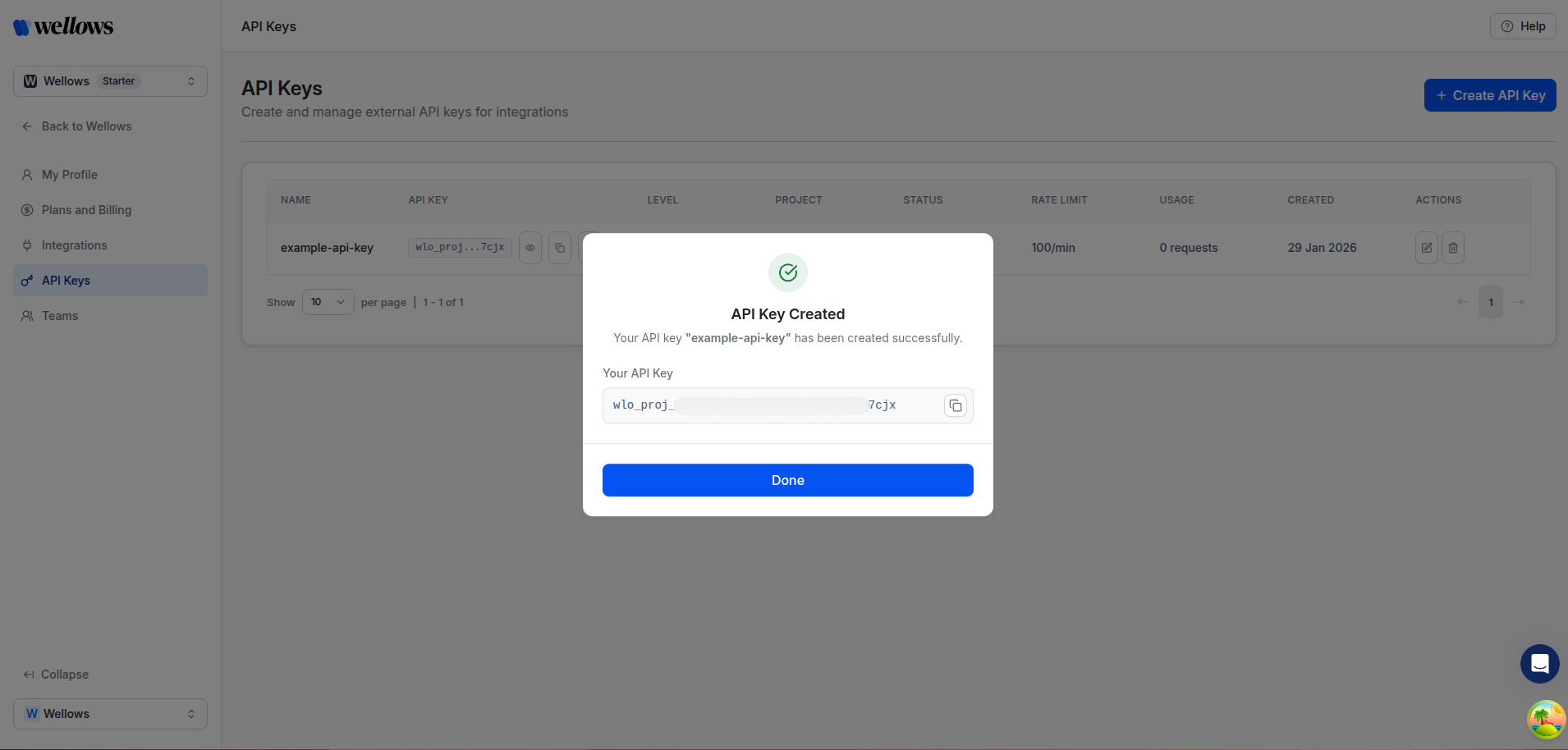
When ready, click Create API Key to generate the key.
4
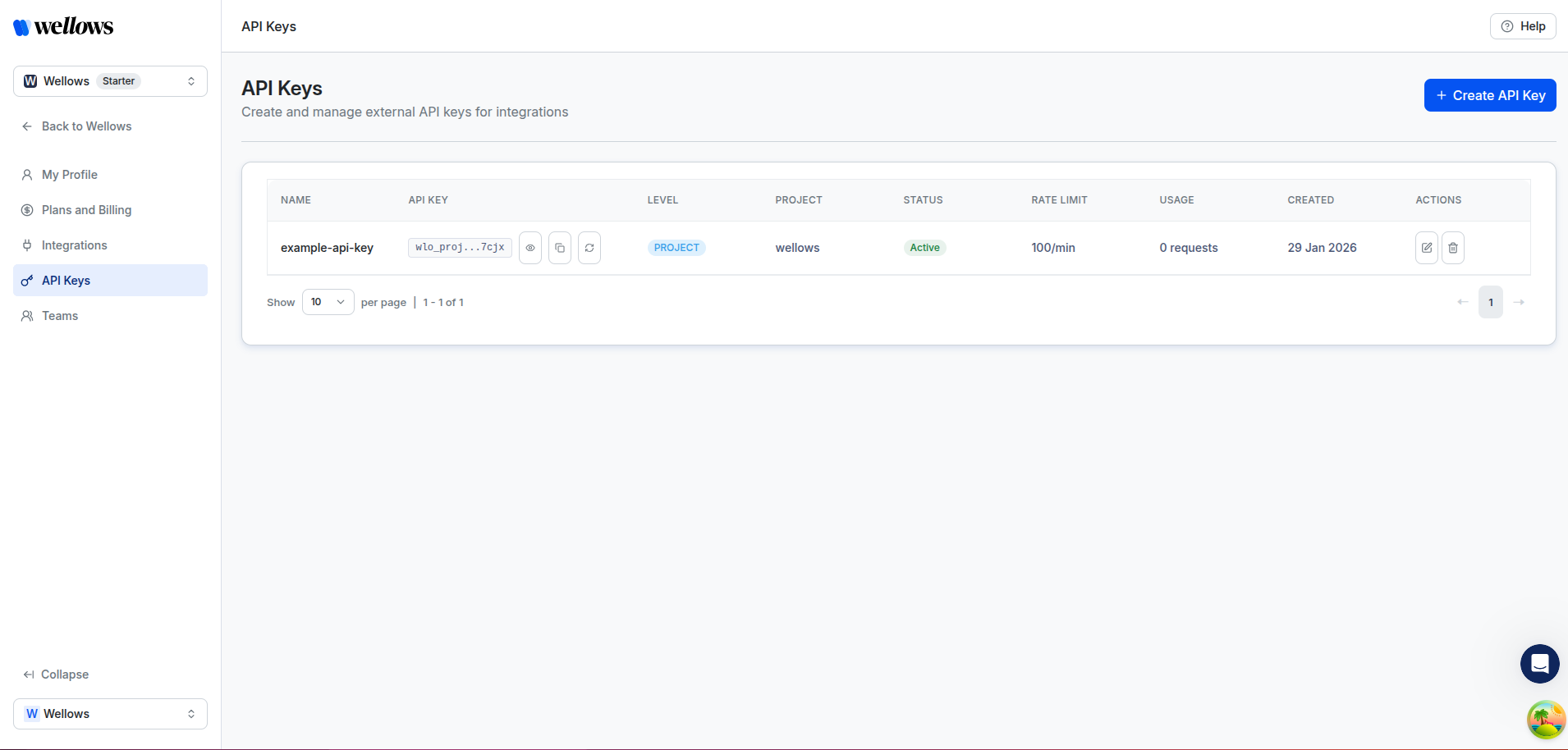
View API keys
That’s it! You have now generated an API key that can be used to authenticate requests to the Wellows API.
Your key will be displayed in a table along with other keys you generate. Return to this page at any time to see your keys, check expiry dates, or revoke an existing key.
Your API key is sensitive information. Never share it publicly or commit it to version control. Store it securely and treat it like a password.
Your API key access level determines what data you can retrieve:
Key Level
Description
Project Header
User Level
Access all projects owned by your account
X-Project-ID required except for /validate and /projects endpoints
Project Level
Scoped to a single project
Not needed
When using a User Level key, you must include the X-Project-ID header to specify which project you want to access except for /validate and /projects endpoints